🔘 SONOFF SNZB-01P — Zigbee 3.0 Wireless Smart Button
The SONOFF SNZB-01P is a compact Zigbee 3.0 wireless smart button with three customisable actions: single press, double press, and long press. Assign each action to control a different device, trigger a scene, or activate an Alexa routine — all from one pocket-sized button. Mount it on a wall as a wireless light switch, keep it on your bedside table, or give it to elderly family members as an emergency alert button. Up to 5 years battery life from a single CR2477 coin cell.
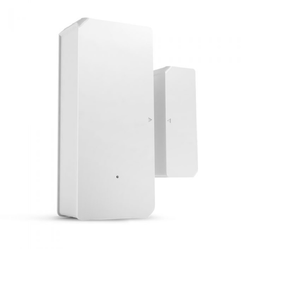
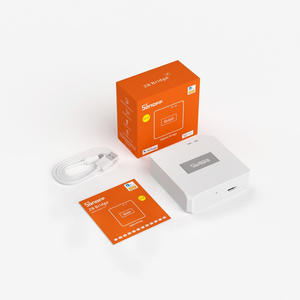
The SNZB-01P is a Zigbee device — it does NOT connect to WiFi directly. You need a Zigbee hub or coordinator from the buttons above.
⚡ Key Features
- 3 Customisable Button Actions — assign different commands to single press, double press, and long press; each action can control a device, trigger a smart scene, or activate an Alexa routine
- Zigbee 3.0 — fast, low-power wireless communication; works with SONOFF Zigbee hubs (ZB Bridge-P, NSPanel Pro) and Home Assistant (via ZBDongle-Max, ZBDongle-LMG21, or ZBDongle-E with Zigbee2MQTT / ZHA)
- Alexa Routine Trigger — press the button to activate any Alexa routine (requires a SONOFF Zigbee hub linked to Alexa)
- Emergency Alert Button — configure a long press to send an instant alert notification to family members' phones; ideal for elderly or young children
- Doorbell Mode — when connected to an NSPanel Pro, the button can act as a wireless doorbell; the panel plays a chime when the button is pressed
- Up to 5 Years Battery Life — powered by a CR2477 coin cell battery (included); low-battery notification via the eWeLink app
- Flexible Mounting — 3M adhesive pad, magnetic metal plate (included), or place anywhere; no wiring, no screws needed
- Compact & Portable — 45 × 45 × 17.7 mm; fits in your pocket, on a wall, on a nightstand, or stuck to a fridge
- Matter Bridge Support — when bridged to Apple Home via a SONOFF Matter Bridge, single/double/long press are all supported on Apple platforms
- Home Assistant Compatible — fully supported in Zigbee2MQTT and ZHA as a standard Zigbee button with all three actions
🏠 What Can You Do With One Button?
Wireless Light Switch
Stick it on any wall — single press turns the lounge lights on/off, double press dims them, long press activates "movie mode" scene. No electrician, no wiring, no wall damage. Move it any time.
Bedside Controller
Single press: bedroom light off. Double press: all downstairs lights off. Long press: "goodnight" scene (all lights off, lock doors, arm alarm). One button replaces walking around the house.
Emergency / Panic Button
Give it to an elderly family member. Long press sends an instant push notification to your phone. Place it next to the bed, in the bathroom, or on a lanyard. No phone needed — just press.
Wireless Doorbell
Stick it next to the front door. Connected to NSPanel Pro, it triggers a doorbell chime on the panel. Or configure it to send a phone notification when someone presses it at the gate.
📋 Technical Specifications
| Model | SNZB-01P |
| Wireless Protocol | Zigbee 3.0 (IEEE 802.15.4) |
| Chipset | EFR32MG22 (Silicon Labs) |
| Button Actions | Single Press / Double Press / Long Press |
| Battery | CR2477 (3V, included) |
| Battery Life | Up to 5 years (lab tested at 10 presses/hour) |
| Dimensions | 45 × 45 × 17.7 mm |
| Weight | 27.7 g |
| Material | PC (polycarbonate) |
| Operating Temp | -10°C to 60°C |
| Operating Humidity | 5–95% RH (non-condensing) |
| Mounting | 3M adhesive pad + magnetic metal plate (included) |
| Compatible Hubs | ZB Bridge-P, NSPanel Pro, ZBDongle-E/Max/LMG21 (HA) |
| App | eWeLink (iOS / Android) |
| Voice Control | Alexa (routine trigger), Google Assistant (via scenes), Siri (via Matter Bridge) |
| Home Assistant | Via Zigbee2MQTT or ZHA |
| Certifications | CE, FCC, ISED, RoHS |
❓ Frequently Asked Questions
Does it work without a Zigbee hub?
Can I use it as a light switch on the wall?
What's the difference between single press, double press, and long press?
Does it work with Home Assistant?
Can I trigger Alexa routines with it?
How do I replace the battery?
Does it include stickers for labelling?
🤝 Need Help? We're Here for You!
Visit Us
8 Wildebraam Street
Weltevreden Park, Roodepoort
Gauteng, 1709