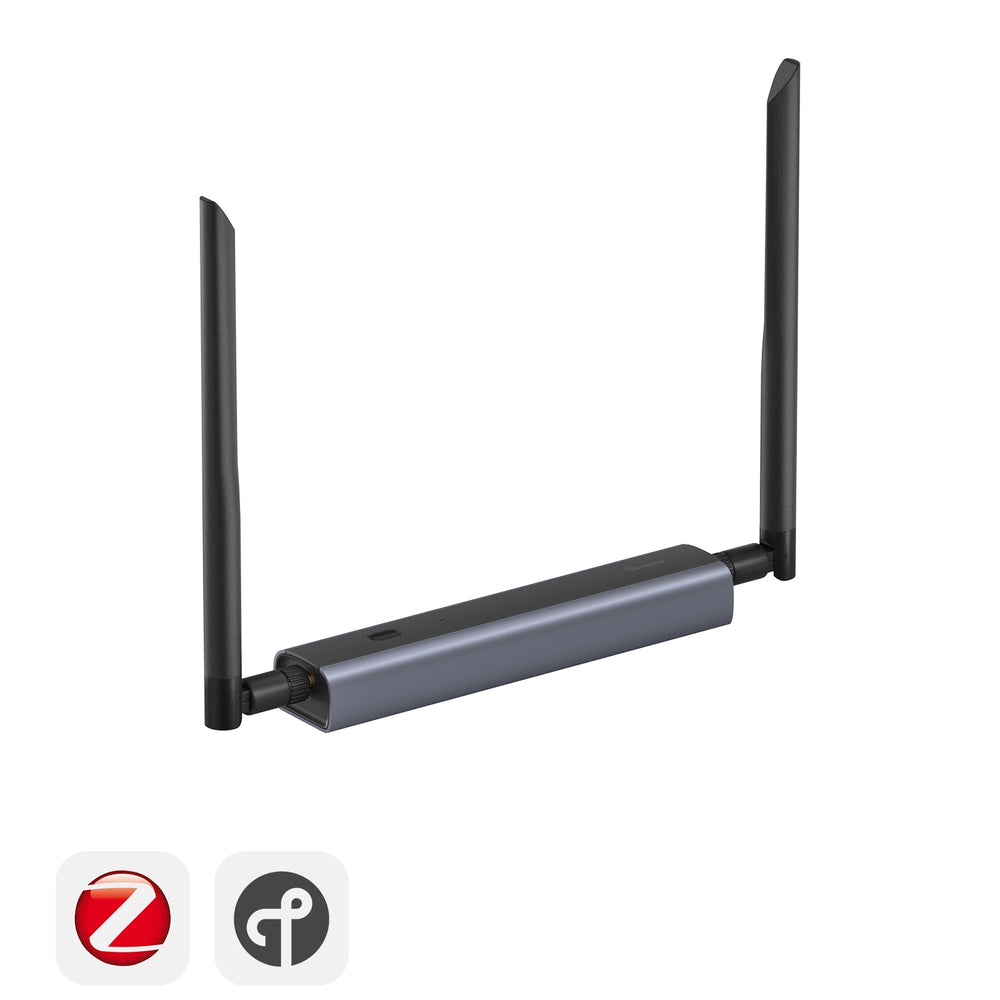
⭐ The Ultimate Zigbee Coordinator — PoE, WiFi, USB & Web Console
SONOFF's flagship Zigbee gateway. Place it anywhere in your home via Ethernet (with PoE), WiFi, or USB. Manage everything from a built-in web console. EFR32MG24 + ESP32 dual chipset, dual 5dBi antennas, aluminium body. The coordinator Home Assistant power users have been waiting for.
✨ What Makes This Special
- EFR32MG24 + ESP32D0WDR2 — next-gen dual chipset for maximum performance and future-proofing
- 3 connection methods — Ethernet (with PoE), WiFi, or USB-C. Place it wherever you need coverage
- Built-in web console — manage firmware, settings, logs, and alerts from your browser. No command line
- Dual 5dBi high-gain antennas — 360° adjustable for maximum coverage (90m+ tested)
- Power over Ethernet — single cable for data + power. Clean installation with no power adapter
- Advanced features — Webhooks, MQTT integration, WireGuard VPN, eWeLink-Remote, Turbo mode
- Aluminium alloy body — premium build, excellent heat dissipation
- Wall mountable — bracket, screws, and adhesive tape included
- Multi-firmware — Zigbee Coordinator, Router, Thread RCP, MultiPAN — switchable from web console
- 1 Year Warranty
🏆 Why Buy from Eiferer?
Local SA Stock
Ships from Gauteng
Best Prices
Competitive guaranteed
Expert Support
Call Jesse: 071 678 8719
Fast Shipping
Nationwide delivery
🌐 Three Ways to Connect
Ethernet + PoE
Single RJ45 cable delivers data AND power (48V/0.25A PoE). Stable, low-latency connection — no WiFi dropout. Perfect for placing the dongle centrally in your home for maximum Zigbee coverage.
WiFi
2.4 GHz WiFi connection. Power via USB-C, then place the dongle anywhere with a power source. Total freedom of placement without running Ethernet cables.
USB-C
Classic plug-and-play via included USB-C cable. Plug directly into your Home Assistant server, Raspberry Pi, or mini PC. Works like a traditional USB dongle.
Web Console
Access via browser (dongle-m.local or IP address). Monitor status, switch firmware, update settings, view logs — all without command line. Password protected.
🧠 Works With
🔗 Supported Platforms
Connects via TCP (Ethernet/WiFi) or USB mode. Auto-discovered in most platforms.
🎯 Advanced Features
Dual 5dBi Antennas
Two high-gain SMA antennas with full 360° rotation. Tested at 90m+ range with optimal placement. Dramatically outperforms single-antenna USB dongles in coverage and reliability.
Web-Based Firmware Management
Switch between Zigbee Coordinator, Router, Thread RCP, or MultiPAN directly from the web console. No disassembly, no command line flashing. One-click mode switching.
MQTT Dashboard Integration
Built-in MQTT support displays device capabilities directly on your Home Assistant dashboard. Monitor and control in real time. Webhooks for advanced automations.
WireGuard VPN
Built-in VPN support for remote access to your Zigbee network. Manage your smart home from anywhere in the world, securely — without exposing your network.
Premium Build Quality
Aluminium alloy housing with 24-hour salt spray testing. Excellent heat dissipation for 24/7 operation. Wall-mountable with included bracket and screws.
Multi-Brand Ecosystem
Pairs with thousands of Zigbee devices: SONOFF, Aqara, Philips Hue, IKEA, Tuya, and more. Matter support via Thread RCP firmware for future-proofing.
🔗 Compare SONOFF Zigbee Dongles
SONOFF Dongle Plus MG24
Same MG24 chip in a USB stick form. Great if you only need USB — no PoE/WiFi/web console. 3dBi antenna, 200m range.
View Product →SONOFF Dongle Lite MG21
Compact & affordable. Same MG21 chip as ZBDongle-E. Perfect for budget builds or as a second coordinator.
View Product →SONOFF ZBDongle-E
The proven original. EFR32MG21, +20dBm output, SMA antenna. USB stick form factor. Millions of happy users.
View Product →Home Assistant Mini Server
Full HA server — pair with the Dongle Max for the ultimate local smart home. 3,000+ integrations.
View Product →📋 Technical Specifications
| Model / MPN | Dongle-M |
| Product Name | SONOFF Dongle Max Zigbee/Thread PoE Dongle |
| Zigbee MCU | EFR32MG24 (Silicon Labs) |
| WiFi / Network MCU | ESP32D0WDR2 (Espressif) |
| Protocol | Zigbee 3.0, Thread, Matter (via Thread RCP), MultiPAN |
| Connectivity | Ethernet (RJ45 with PoE), WiFi (2.4 GHz), USB-C |
| PoE | 48V / 0.25A (IEEE 802.3af) |
| USB Power | 5V / 1A via USB-C |
| Antennas | 2× external SMA, 5dBi, 360° adjustable |
| Firmware Modes | Zigbee Coordinator, Router, Thread RCP, MultiPAN (switchable via web console) |
| Advanced Features | Web console, MQTT, Webhooks, WireGuard VPN, eWeLink-Remote, Turbo mode |
| Body Material | Aluminium alloy (salt-spray tested) |
| Mounting | Desktop or wall-mount (bracket + screws + adhesive included) |
| Supported Platforms | Home Assistant (ZHA), Zigbee2MQTT, openHAB, ioBroker |
| Supported OS | Windows, Linux, macOS, Raspberry Pi OS, Docker |
| Warranty | 1 Year Manufacturer Warranty |
❓ Frequently Asked Questions
Do I need a PoE switch?
What's the difference vs. Dongle Plus MG24?
How do I access the web console?
Can I use it as a standard USB dongle?
What range can I expect?
Does it support Thread / Matter?
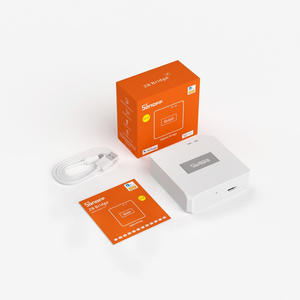
What's included in the box?
📦 What's in the Box
🤝 Need Help? We're Here for You!
Visit Us
8 Wildebraam Street
Weltevreden Park, Roodepoort
Gauteng, 1709
SA Stock
Ready to Ship
PoE + WiFi + USB
Triple Connect
1 Year Warranty
Manufacturer
Fast Shipping
Nationwide
The Coordinator That Does Everything.
EFR32MG24 + ESP32 · PoE · WiFi · USB · Web Console · 90m+ Range · MQTT · VPN
Free Delivery Over R2,500 · 1 Year Warranty · Local SA Support