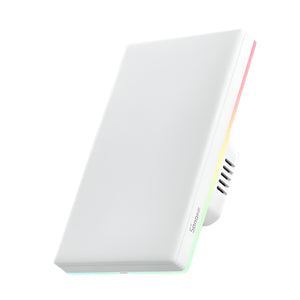
📡 SONOFF ZBM5 — Zigbee Smart Wall Switch (No Neutral & With Neutral Compatible)
SONOFF's first Zigbee wall switch — works with or without a neutral wire. Zigbee 3.0 mesh networking, detach relay mode for smart lights, and full eWeLink app control. Compatible with NSPanel Pro, ZB Bridge-P, ZBDongle-E, Dongle Max, and Dongle Lite MG21 for Home Assistant. Available in 1, 2, and 3 gang.
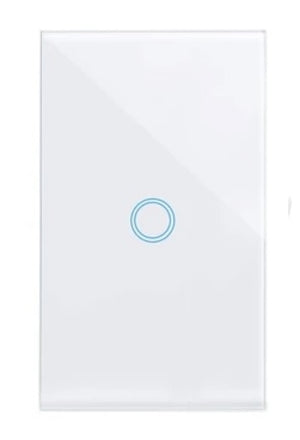
🔢 Choose Your Gang Size
Each gang controls one light circuit independently. Pick the size that matches your wall box wiring.
⚡ Key Features
- No Neutral & With Neutral Compatible — installs in older homes without a neutral wire, or take full advantage of neutral wiring for router mode and smart light support
- Zigbee 3.0 Mesh Networking — with neutral wiring the ZBM5 acts as a Zigbee router, extending your mesh network coverage with every switch installed
- Detach Relay Mode — keeps smart lights powered even when the physical switch is toggled off, so they stay controllable via app and scenes (neutral mode only)
- Physical Mechanical Buttons — satisfying tactile click with reliable rocker-style buttons, no accidental touch triggers
- Home Assistant Compatible — works with ZBDongle-E or Dongle Max via ZHA or Zigbee2MQTT for full local control
- eWeLink Smart Scenes — scheduling, countdown timers, one-tap scenes, and inter-device automation
- Voice Control — Amazon Alexa, Google Home, and SmartThings (via supported Zigbee hub)
- 120-Type (US/SA) — fits standard South African 4×2 wall boxes
🔌 Two Wiring Modes — One Switch
No Neutral Mode
The ZBM5 auto-detects your wiring when paired. In no neutral mode, it operates as a Zigbee end device. The connected load must be at least 3W. Does not support smart lights (dimmable, colour-changing, LED strips) or detach relay in this mode.
Neutral Mode — Unlock Full Features
With a neutral wire connected, the ZBM5 becomes a Zigbee router — strengthening your mesh network. Unlocks detach relay mode for smart lights and removes the 3W minimum load requirement. If you're doing a new installation, always wire the neutral for best results.
📦 Feature Highlights
Zigbee Router Mode
With neutral wire, every ZBM5 strengthens your Zigbee mesh — improving coverage and reliability across your whole home.
Detach Relay
Smart lights stay powered when the switch is toggled off. Control via app, voice, or scenes — the switch becomes a smart trigger. Neutral mode only.
Home Assistant Ready
Pair with a ZBDongle-E or Dongle Max for full local Zigbee control via ZHA or Zigbee2MQTT integration.
Schedules & Timers
Set daily schedules, countdown timers, and loop timers in the eWeLink app. Runs locally through your Zigbee hub.
🌐 You'll Need a Zigbee Hub
The ZBM5 requires a Zigbee coordinator to operate. Choose the hub that fits your setup — from plug-and-play eWeLink bridges to advanced Home Assistant dongles.
SONOFF ZB Bridge-P
Plug-and-play Zigbee-to-WiFi bridge. Supports 128 sub-devices, smart security modes, and local scene automation. The easiest way to get started.
View Product →SONOFF ZBDongle-E
Universal Zigbee USB stick for Home Assistant, Zigbee2MQTT, and openHAB. EFR32MG21 chip with +20dBm output. Plug-and-play coordinator.
View Product →SONOFF Dongle Max
Pro-grade Zigbee + Thread PoE gateway. Ethernet, WiFi, and USB connectivity. Dual 5dBi antennas, web console, and EFR32MG24 chip. The ultimate coordinator.
View Product →SONOFF Dongle Lite MG21
Compact Zigbee USB coordinator — 65% smaller than ZBDongle-E. EFR32MG21 chip, firmware flasher support, includes USB extension cable.
View Product →🔗 Perfect Companions
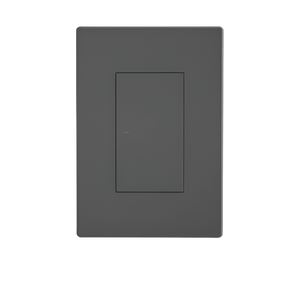
SONOFF NSPanel Pro 120 White
4.7″ touchscreen with built-in Zigbee hub. Use it as both your Zigbee coordinator and smart home control panel. Pairs directly with ZBM5.
View Product →SONOFF NSPanel Pro 120 Dark Grey
Same 4.7″ touchscreen and Zigbee hub in a sleek dark grey finish. Perfect for darker décor and modern interiors.
View Product →📋 Technical Specifications
| Model | SONOFF ZBM5 (US/120 type) |
| MPN | ZBM5-1C-120W (1G) · ZBM5-2C-120W (2G) · ZBM5-3C-120W (3G) |
| Gangs Available | 1 Gang, 2 Gang, 3 Gang |
| Protocol | Zigbee 3.0 (EFR32MG22) |
| Zigbee Role | End Device (no neutral) · Router (with neutral) |
| Voltage | 100-240V AC 50/60Hz (SA 220-240V compatible) |
| Max Load | 1C: 10A · 2C: 10A/gang (10A total) · 3C: 10A/gang (10A total) |
| LED Load @240V | 1C: 400W · 2C: 400W/gang (400W total) · 3C: 400W/gang (400W total) |
| Min. Load (No Neutral) | 3W per gang |
| Button Type | Mechanical rocker (tactile click) |
| Neutral Wire | Optional — works with or without |
| Compatible Hubs | NSPanel Pro · ZB Bridge-P · ZBDongle-E · Dongle Max · Dongle Lite MG21 |
| Home Assistant | Yes — via ZBDongle-E or Dongle Max + ZHA or Zigbee2MQTT |
| Voice Control | Amazon Alexa · Google Home · SmartThings (via hub) |
| App | eWeLink (iOS & Android) |
| Casing Material | PC (white) |
| Standard | US / 120 type (fits SA 4×2 wall boxes) |
| Certifications | CE · FCC |
| Warranty | 1 Year Manufacturer Warranty |
❓ Frequently Asked Questions
Do I need a neutral wire?
Can I use low-wattage LED bulbs without neutral?
What is Detach Relay Mode?
Does it extend my Zigbee network?
Which Zigbee hub should I buy?
Is it certified?
Can I switch between no-neutral and neutral mode?
Does it work during load shedding?
🔢 All Gang Sizes
🌐 Zigbee Hubs & Dongles
🤝 Need Help? We're Here for You!
Visit Us
8 Wildebraam Street
Weltevreden Park, Roodepoort
Gauteng, 1709