⚡ SONOFF 4CH PRO R3 — 4-Channel WiFi + RF Smart Switch · Dry Contact · DC/AC Input
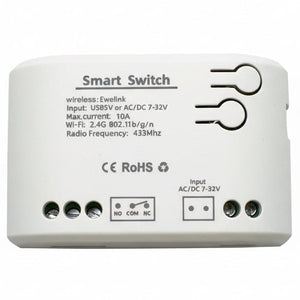
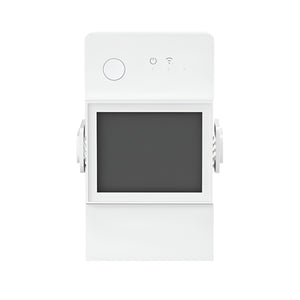
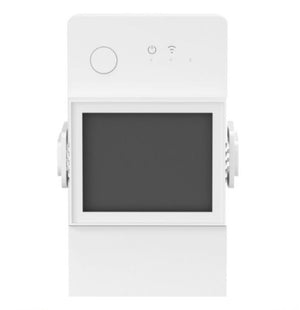
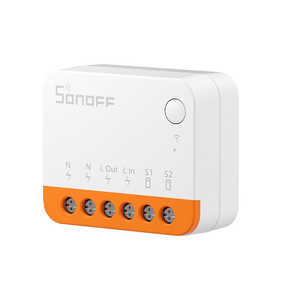
The SONOFF 4CH PRO R3 is the premium 4-channel smart switch relay with WiFi + 433MHz RF control, dry contact outputs (NO/NC), and dual AC/DC input (90–250V AC or 9–24V DC). The go-to module for gate motors, garage doors, irrigation solenoid valves, and electric locks in South Africa. Four independent channels, three working modes (self-locking, interlock, inching), and RF remote backup for when WiFi or internet goes down. DIN rail mountable.
⚡ Key Features
- 4 Independent Channels with Dry Contact Outputs — each channel provides NO (Normally Open) and NC (Normally Closed) dry contact terminals; the relay switches a circuit without passing mains voltage through the output — essential for gate motors, garage doors, and irrigation solenoids that have their own power source
-
3 Working Modes (set in eWeLink app):
• Self-Locking — standard on/off; each channel toggles independently
• Interlock — turning on one channel automatically turns off the other three; useful for motor direction control or mutually exclusive loads
• Inching — momentary pulse trigger; channel turns on then auto-off after 0.5–3,600 seconds; the mode you'll use for gate motors and garage doors - WiFi + 433MHz RF Control — control from the eWeLink app via WiFi, AND from up to 4 paired RF remotes (433MHz); RF works without WiFi or internet — ideal for load shedding or outdoor installations without WiFi coverage
- Dual Power Input: AC or DC — 90–250V AC 50/60Hz OR 9–24V DC; power the module from your gate motor's 12V/24V auxiliary supply, alarm system battery backup, or solar controller — no need for mains power at the installation point
- 10A per Channel / 40A Total — handles up to 2,200W per channel at 230V; 8,800W total across all four channels
- DIN Rail Mounting — clips onto standard 35mm DIN rail; install inside your DB board, gate motor housing, or weatherproof enclosure
- eWeLink App — schedules, countdown timers, scenes, device sharing, power-on state (ON/OFF/KEEP), LAN mode
- Voice Control — Amazon Alexa, Google Assistant, Siri Shortcuts
- Physical Buttons — four on-device buttons for manual override
- Home Assistant Compatible — via eWeLink LAN integration or custom firmware (Tasmota/ESPHome)
The 4CH PRO R3 relay outputs are dry contacts — they switch a circuit on/off like a doorbell button, but do NOT pass power to the load. Your connected device (gate motor, garage door, irrigation valve) must have its own power source. You wire the dry contact across the device's trigger terminals (e.g., CENTURION D5 Evo "TRIG" and "COM", ET Nice "PB" terminals). This is exactly how gate remotes work — a momentary contact closure.
🏠 Popular Use Cases in South Africa
Gate + Garage Combo
Channel 1: driveway gate motor (CENTURION, ET, GEMINI). Channel 2: garage door motor. Wire each dry contact across the motor's trigger terminals. Set both channels to inching mode (~1 second pulse). One app, one module — open/close your entire property entrance from anywhere.
4-Zone Irrigation
Control four solenoid valves independently. Wire each dry contact to a 24V AC solenoid zone valve. Schedule watering per zone — lawn at 5AM, veggie garden at 6AM, flower beds at 7AM, front garden at 8AM. eWeLink scenes let you chain them or run simultaneously.
Access Control
Pedestrian gate + driveway gate + garage + front door electric strike — four access points from one module. Inching mode sends a momentary pulse to each lock/motor. Share access with family via eWeLink app. RF remote in the car for instant gate + garage on arrival.
RF Backup for Load Shedding
When Eskom cuts power and your WiFi router goes down, the 4CH PRO R3 still works via 433MHz RF remote — as long as the module itself is powered (e.g., from a gate motor's battery backup or a UPS). Pair up to 4 RF remotes for the whole family.
📡 RF Remote Pairing
The 4CH PRO R3 supports up to 4 × 433MHz RF remotes (sold separately, e.g., RM433R2). Each button on the remote maps to a channel. RF control works without WiFi or internet — press the remote and the relay triggers immediately via local radio. Ideal for car visor remotes, bedside remotes, or as a backup during load shedding.
📋 Technical Specifications
| Model | 4CH PRO R3 (4CHPROR3) |
| Input Voltage | 90–250V AC 50/60Hz OR 9–24V DC |
| Max Load per Channel | 10A / 2,200W (at 230V) |
| Max Total Load | 40A / 8,800W |
| Number of Channels | 4 |
| Relay Output | Dry contact — NO (Normally Open) + NC (Normally Closed) per channel |
| Working Modes | Self-Locking / Interlock / Inching (0.5–3,600s) |
| WiFi | IEEE 802.11 b/g/n 2.4GHz |
| RF | 433.92MHz (receive); up to 4 RF remotes |
| Mounting | 35mm DIN rail |
| Dimensions | 145 × 90 × 40 mm |
| Material | Fire-retardant ABS V0 |
| Operating Temp | 0°C to 40°C |
| Operating Humidity | 5–90% RH (non-condensing) |
| App | eWeLink (iOS / Android) |
| Voice Control | Alexa, Google Assistant, Siri Shortcuts |
| LAN Control | Yes (eWeLink LAN mode) |
| Power-On State | ON / OFF / KEEP (configurable in app) |
| Certifications | CE, FCC, RoHS |
🔀 4CH PRO R3 vs 4CH R3 Comparison
| Feature | 4CH R3 | 4CH PRO R3 ★ |
|---|---|---|
| WiFi Control | ✅ Yes | ✅ Yes |
| 433MHz RF Remote | ❌ No | ✅ Yes (up to 4 remotes) |
| AC Input | 100–240V AC | 90–250V AC |
| DC Input | ❌ No | ✅ 9–24V DC |
| Dry Contact (NO/NC) | ❌ No | ✅ Yes |
| Max Load per Channel | 10A / 2,200W | 10A / 2,200W |
| Max Total Load | 16A / 3,500W | 40A / 8,800W |
| DIN Rail | ✅ Yes | ✅ Yes |
| Dimensions | 145 × 90 × 34 mm | 145 × 90 × 40 mm |
| Best For | Mains lights & appliances | Gates, garages, irrigation, dry contact |
🔄 Also Consider: Zigbee & WiFi Dry Contact Relays
If you don't need all four channels, or prefer Zigbee over WiFi, check out our range of inching relay modules:
EACHEN Zigbee DC1
1-channel Zigbee dry contact relay. Inching + self-locking. Works with eWeLink, Tuya, Hue Bridge, Home Assistant.
View Product →EACHEN Zigbee DC4
4-channel Zigbee dry contact relay. Same channel count as the 4CH PRO R3 but on Zigbee mesh — no WiFi needed.
View Product →❓ Frequently Asked Questions
How do I wire it to a CENTURION / ET / GEMINI gate motor?
• CENTURION D5 Evo / D10: "TRIG" and "COM" on the controller board
• ET Drive 300/500/600: "PB" (push button) terminals
• GEMINI: "PB" terminals
Set the channel to inching mode (~1 second pulse). Power the 4CH PRO R3 from the motor's 12V auxiliary output (connect to the DC input terminals). Each trigger in the app simulates a single press of your gate remote.
Can I use it for irrigation?
Does the RF remote work during load shedding?
Is the RF remote included?
What's the difference between NO and NC terminals?
NC (Normally Closed) — the circuit is closed (connected) when the relay is off, and opens (disconnects) when triggered. Used for alarm loops or fail-safe locks that should unlock when power is lost.
Most SA gate/garage installations use the COM + NO terminals.
Can I also switch mains-powered lights and appliances?
Does it work with Home Assistant?
🤝 Need Help? We're Here for You!
Visit Us
8 Wildebraam Street
Weltevreden Park, Roodepoort
Gauteng, 1709
Gates. Garages. Irrigation. Access Control.
SONOFF 4CH PRO R3 — WiFi + RF · Dry Contact